Materials Instead of Cost Badges
November 8, 2026 • Provincia Dev Team
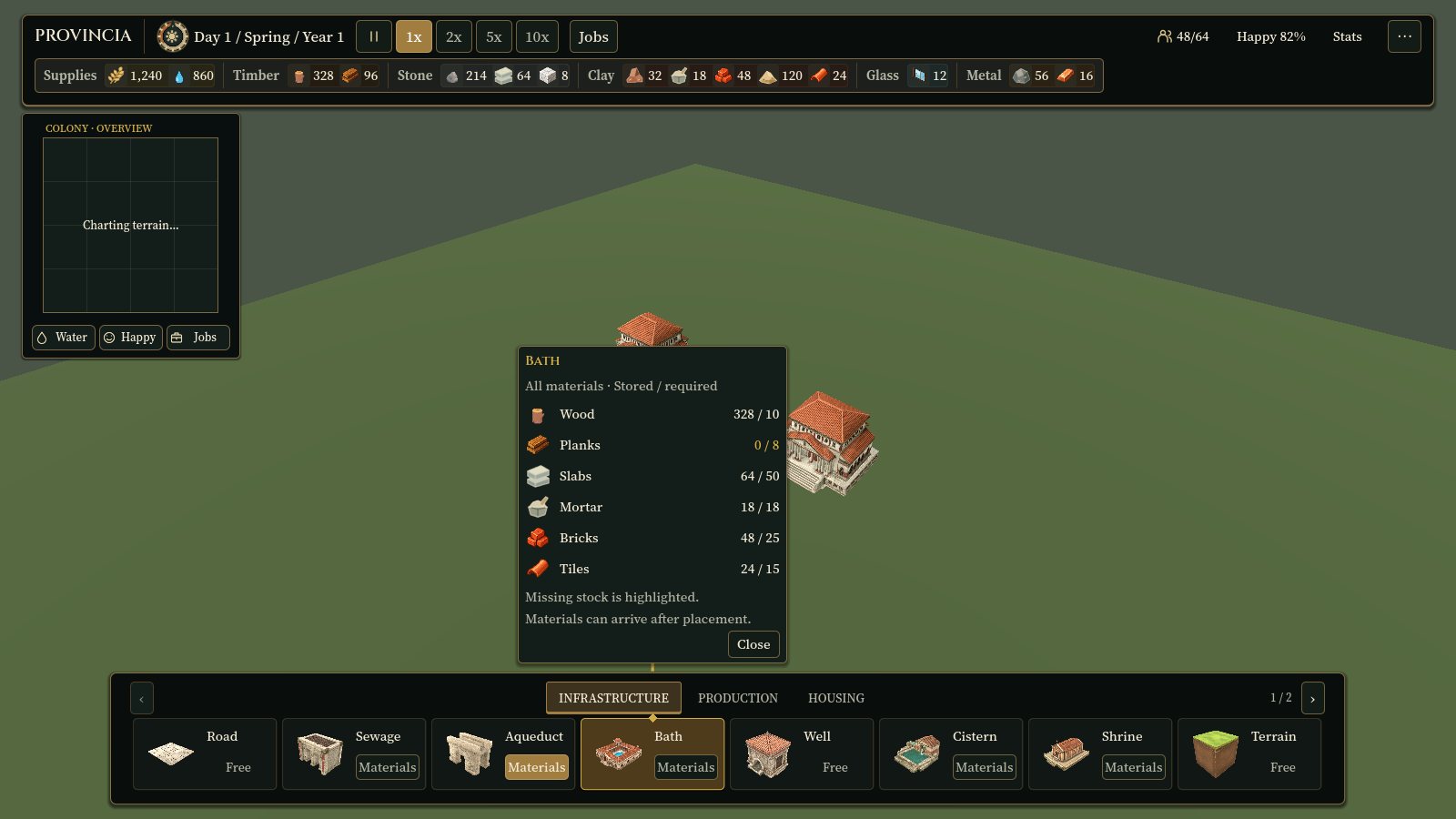
Dock tiles used to flash a single cost chip — often the wrong one — and bury the rest behind a fleeting +N hover. A bath needs wood, planks, slabs, mortar, bricks, and tiles; glancing at “10 wood” told you almost nothing. This ship replaces that with a persistent materials sheet you can pin open while you place.
Materials on every paid tile
Paid build entries now show a Materials control instead of a truncated chip row. Free tools still say Free. Press Materials on an armed tile and a sheet lists every kind with stored / required. Shortages highlight; the note under the list is explicit: missing stock can arrive after placement, so you can still footprint the building and let haulers catch up.
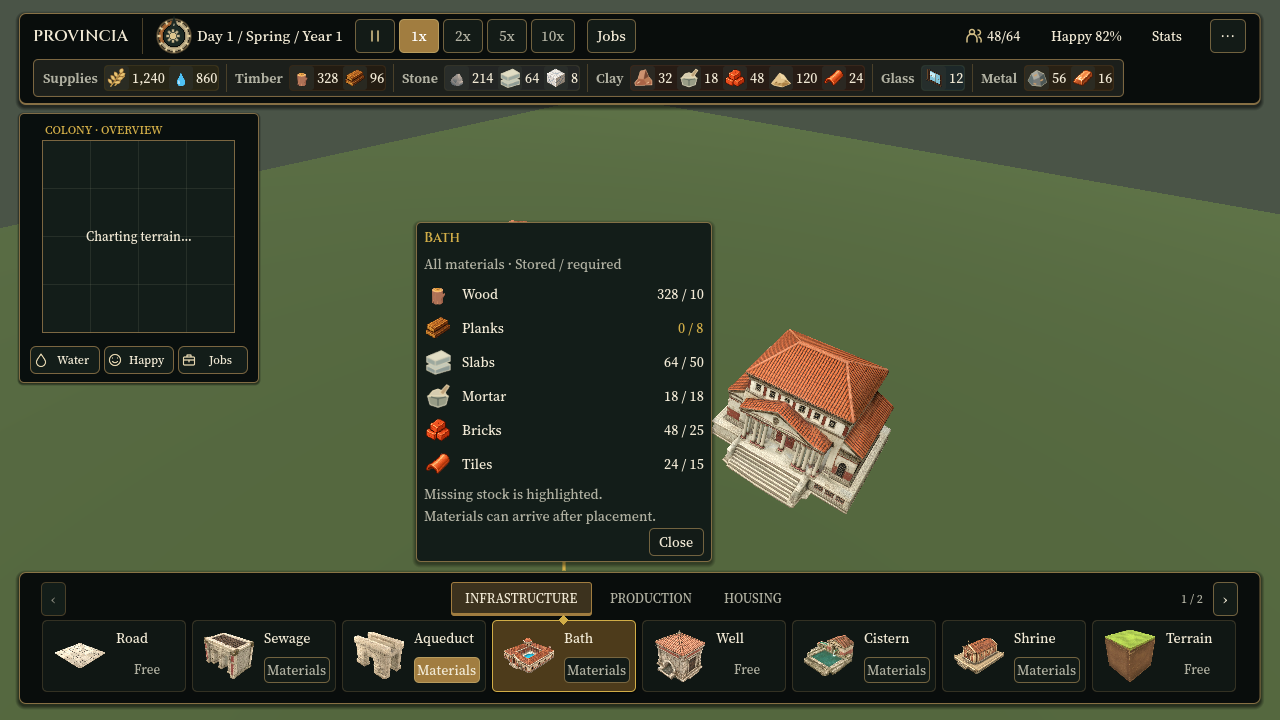
One sheet at a time
Opening Materials on another tile dismisses the previous sheet. Close dismisses it without canceling the armed build tool. The list stays readable at 720p and at 1080p — the dock keeps its page arrows; the sheet sits above the world instead of fighting the cost strip.
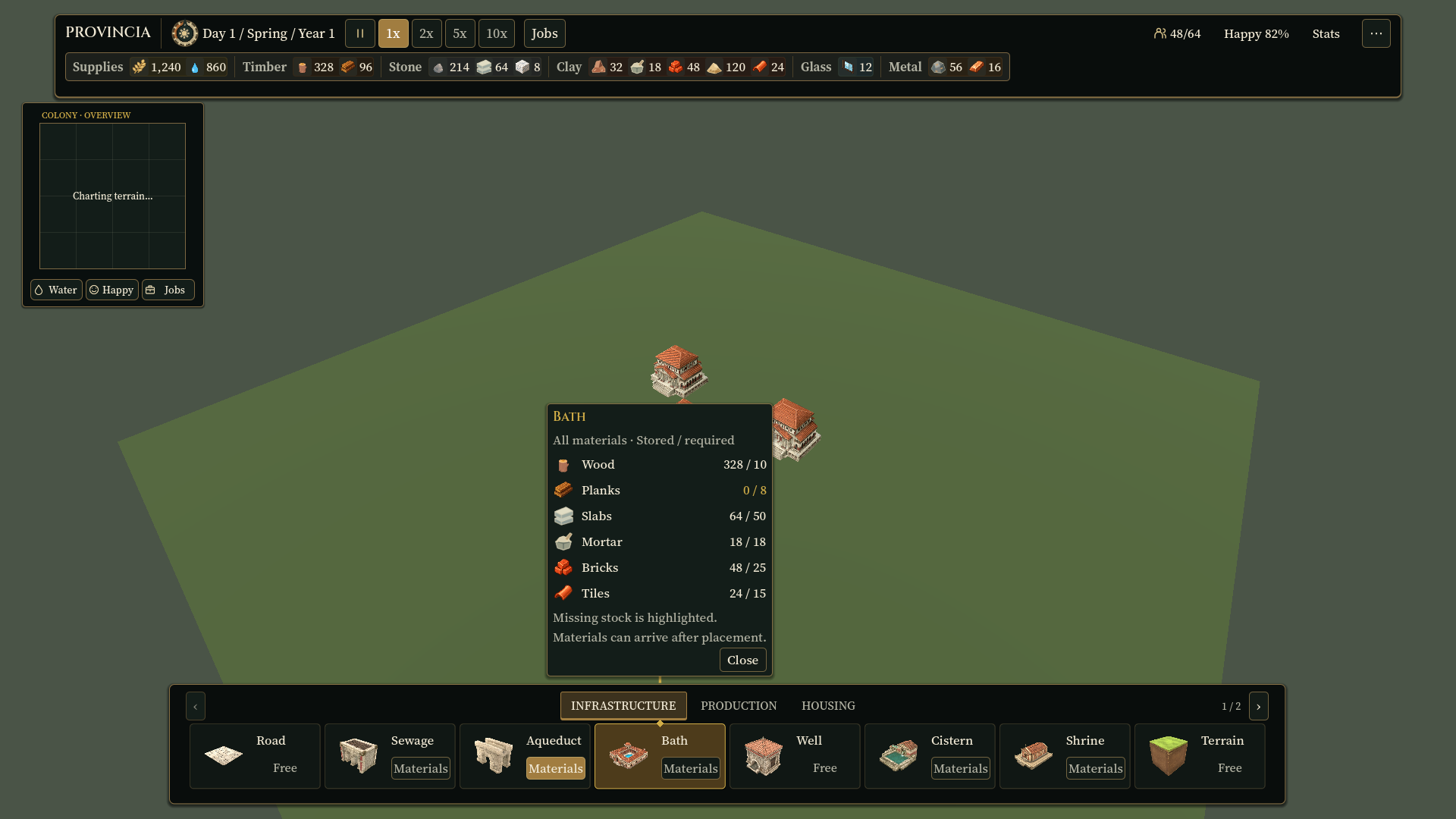
Also landed with this ship
The same HUD pass tightened the rest of the management surface that sits around the dock:
- Roman chrome: layered ink panels and burnished bronze frames on the top bar, goals, Jobs, People, and Stats.
- One management lane: Jobs, People, and Stats share return links and sizing so a panel does not shove the objective or the dock off-screen at 720p.
- Roman timepiece: the day clock reads as a proper dial beside the speed strip.
- Campaign browser: clearer rename/delete focus, empty-slot pointers into the tutorial actions, and contained Options navigation.
Those land with the materials sheets; this digtalk sticks to the captures that prove the new cost read — real iterate stills, not mockups.
What to feel in a build
- Arm a Bath (or any multi-material building) — the tile should say Materials, not a lonely wood chip.
- Open the sheet — every required kind should list stored vs required, with shortfalls highlighted.
- Switch to another paid tile — only one materials sheet should stay open.
- Place while short a plank — the footprint should still go down; haulers can fill the gap after.